


CCW – Concealed Carry 50 State
4.71.70K Reviews
App Specs
- Version
- 4.1.3
- Updated On
- License
- $1.99
- Downloads
- 100,000+
- Developer
- Workman Consulting LLC
- Categories
- Books & Reference
- Platform
- Android, iOS
Screenshots
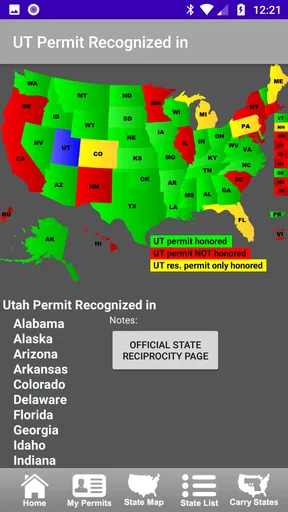
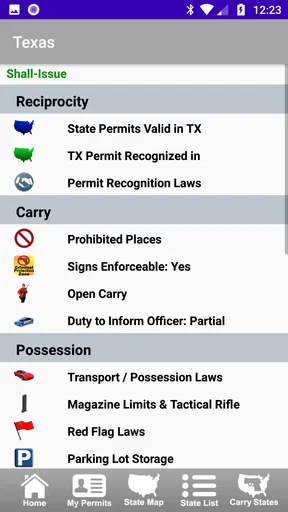
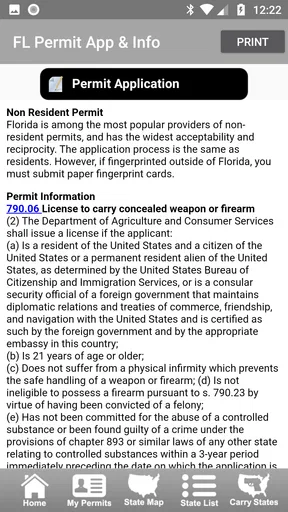
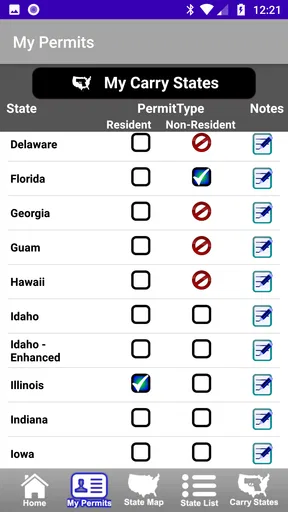
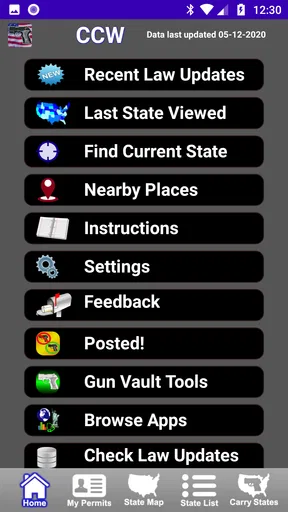
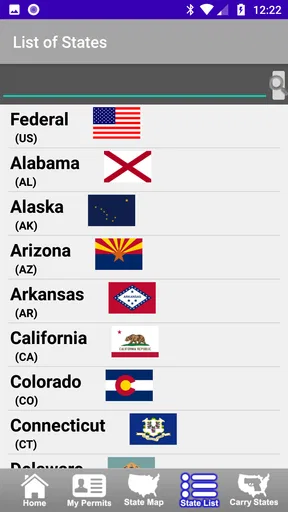
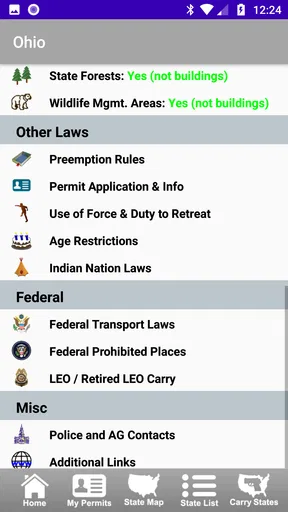
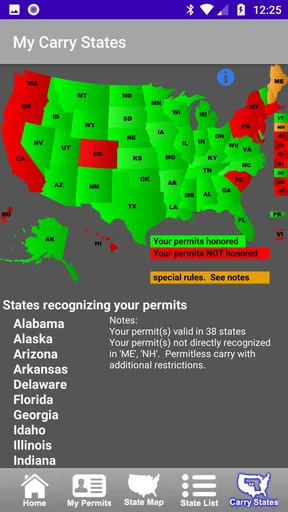
 Analysis by AppCompare
If you are trying to understand concealed-carry rules while traveling between states, CCW – Concealed Carry 50 State is the kind of reference app I would keep available before making a trip, not something I would treat as a substitute for legal advice. Its purpose is focused: help you look up state-by-state information about concealed-carry permits and lawful firearm carry. That narrow goal makes it more useful than a general news app when you need a quick starting point, but it also means you have to read carefully and confirm important decisions through current official sources.
I approached it as a first-time user would: install it, identify what information it is meant to provide, and try to turn a broad question into a practical travel-checking routine. The app is published by Workman Consulting LLC and sits in the Books & Reference category rather than entertainment or social networking. It has a 4.7 average from around 3.7 thousand ratings, with over 100 thousand installs, so it has clearly found an audience among people who want a dedicated carry-law reference instead of scattered web searches.
What to expect before you rely on it
The most important expectation is that this is a reference tool, not a training course, permit application service, or personal legal adviser. The store summary points directly to following complex state CCW permit laws and carrying firearms lawfully in each state. In practical terms, I see its value in helping you organize the questions you need to ask: whether a permit matters, what a destination state generally allows, and which state-specific rules deserve closer attention before you travel.
That distinction matters because firearm regulations can depend on circumstances that a short app entry cannot fully capture. Your permit type, residency, location, vehicle situation, restricted places, method of carry, and the exact wording of current law may all affect the answer. I would use the app to build a checklist and identify the relevant state, then verify the final details with an official state source or qualified attorney. The safest workflow is app first, official confirmation second.
The price is $1.99, and the listing also shows in-app purchases of $0.99 per item. For a focused reference that you may consult before several trips, that can be reasonable, especially if it saves you from searching through unrelated pages. Still, I would not buy it expecting a complete legal research system. Its strongest role is quick orientation and repeat consultation, while official government pages remain the better place for final confirmation.
The age rating is Everyone, which fits the app’s reference-book character. That rating should not be confused with a recommendation that every user can legally carry a firearm. The subject is serious, and a new user should already understand that reading an entry does not create permission to carry. The app can support responsible preparation, but the responsibility for following the law remains with the person carrying.
How I would prepare for a trip
Before opening the app, I would write down the states involved rather than searching casually. Include the state where you begin, every state where you expect to stop, and the destination. If you are crossing a border, the destination alone is not enough. A route that passes through several jurisdictions creates several separate research tasks, even if you never plan to leave your vehicle.
Worth Reading Before You Choose

EA SPORTS FC Mobile 26 Is a Bigger Football Game, but It Takes Time

Flipboard Shows What News Apps Must Do Beyond the Feed

Switching to Android Auto Means Rethinking Your Driving Routine

Google Calendar Makes a Crowded Week Easier to Manage

Ludo King Makes the Most of the Minutes Between Plans

Baby Panda World Brings Quick Play to Modern Phones, but Its Game Library Feels Busy
I would also note whether I am relying on a permit, whether it was issued by my home state, and whether I am asking about concealed carry or another form of transport. Those details help prevent a common mistake: reading a state entry as if one broad statement answers every situation. The app is more useful when you approach it with a specific question instead of simply browsing until something sounds reassuring.
One practical tip is to treat each state entry as a prompt for a short personal checklist. Record the state, the question you checked, the date you checked it, and the official source you later used to confirm it. This turns a quick reference lookup into a repeatable process. It is especially helpful if your travel plans change and you need to revisit only one part of the route.
First setup and the quickest route to a useful result
Installation should be straightforward for a compatible device. The current version is 4.1.3, and the app requires Android 6.0 or later. Once it is installed, I would avoid trying to absorb every state at once. A first-time user gets more value by choosing one real situation, such as checking the rules for a planned destination, and following that question from beginning to end.
Start with the state that matters most to you. If you are preparing for a trip, begin with the destination and then work backward through the route. If you are comparing possible places to live or visit, select the state you are considering and identify which parts of the law you need to investigate. The goal of the first session is not to memorize regulations; it is to learn where the app puts the information and how much detail you need to verify elsewhere.
Because this is a Books & Reference app, I would think of it like a compact digital handbook. Do not expect the same experience as a map, a navigation tool, or a live alert service. A handbook is valuable when you deliberately consult it, but it will not automatically understand your route or know why you are asking. That small change in mindset makes the app feel clearer and prevents overestimating what a state-by-state reference can do.
The paid model is also worth considering during setup. The base price is $1.99, with individual in-app items listed at $0.99. Before spending more, I would first decide whether the information I need is covered by the initial purchase and whether I expect to use the app repeatedly. Someone who only wants a broad overview may prefer checking public official resources directly. Someone who wants a dedicated reference for repeated state comparisons may find the cost easier to justify.
My recommended setup routine is simple:
Choose one state connected to a real question.
Read the relevant entry slowly rather than relying on a single sentence.
Write down terms or exceptions that need confirmation.
Check the current official state guidance before acting.
Repeat the process for every state in the planned route.
This routine is more reassuring than opening the app without a plan. It gives a first-time user a clear definition of success: not “I read something about carry laws,” but “I know which state rules apply to my trip and which points still require confirmation.”
The first meaningful success: turning a vague concern into a route checklist
For me, the first successful action would be using the app to examine a real multi-state journey. Imagine driving from your home state to visit family across the country. Instead of searching the web for a broad phrase such as “can I carry everywhere,” you would identify each state along the route and consult the app one at a time. That approach reduces the chance of overlooking a jurisdiction simply because the destination is familiar.
After reading each state’s information, I would separate general rules from questions that depend on personal circumstances. For example, I might mark whether the issue concerns recognition of a permit, restrictions on particular locations, or the difference between carrying and transporting a firearm. The app’s value here is organizational: it gives you a place to begin the comparison instead of forcing you to assemble a research plan from unrelated search results.
A useful, less obvious habit is to research your return route separately. People often check the outbound trip and assume the same information applies on the way home. That can fail when the route changes, a stop is added, or a state’s current guidance has changed. I would save a separate note for the return journey and recheck any state that appears on both routes before leaving.
Another practical use is preparing questions for an instructor or attorney. If an entry raises an unfamiliar term, do not guess at its meaning. Copy the concept into your notes, identify the state involved, and ask a qualified professional about that specific point. This is far more productive than showing someone a vague concern about “the law everywhere.” The app helps narrow the conversation, even when it cannot settle the legal issue by itself.
This is also where the app compares favorably with ordinary web searching. Search engines can return current official pages, but they can also mix news stories, old articles, forum discussions, and commercial pages. A dedicated state reference gives you a more direct starting point. On the other hand, a search for an official source is better when you need the newest wording, formal definitions, or a complete list of restrictions. I would use both, with the app serving as the index and official sources serving as the final authority.
If your first question is answered too quickly, resist the temptation to stop there. Ask what could change the answer. Does your permit status matter? Are there places where carrying is restricted? Does the question concern a trip, a residence, or a temporary visit? This habit is one of the strongest ways to avoid treating a short reference entry as a universal permission slip.
Where the app saves time, and where it cannot
The time-saving benefit is concentration. Instead of opening many unrelated pages, you can begin with one purpose-built reference and move through states in a consistent way. That is particularly helpful for people who travel, compare state regulations, or want a reminder of which topics to verify before making plans.
The limitation is that convenience can create false confidence. A clean, readable entry may feel more definitive than a complicated legal situation really is. I would never rely on a remembered sentence from the app after a long gap. Reopen the relevant state, check the date of your official confirmation, and repeat the verification when the trip is important. A reference app is most responsible when it encourages careful checking rather than replacing it.
Common confusion a first-time user should avoid
The first confusion is between a state’s general carry rules and recognition of a particular permit. Those are related questions, but they are not identical. If you hold a permit, investigate whether that specific permit is relevant to the state you are entering. If you do not hold one, do not assume that information about permit recognition answers your situation.
The second confusion is treating “allowed” as a complete answer. Even where a broad carry rule appears favorable, location-based restrictions may still matter. Government buildings, schools, private property, posted premises, events, and other places can involve separate rules. I would use the app to identify the state-level framework, then make a second pass focused only on places I expect to visit.
The third confusion is assuming that crossing a state line changes only one detail. In reality, several parts of a plan may need review: the route, the vehicle, where the firearm is kept, whether a permit is involved, and where you will stop. If you are staying overnight, add the lodging location to your questions. If you are visiting a workplace or public event, add those locations too.
A fourth issue is outdated personal notes. Regulations and official guidance can change, and a screenshot or handwritten summary can become misleading when separated from its original context. I would record the state and the date of verification, but I would still reopen the app and consult the current official source before each significant trip. The note is a memory aid, not proof that the rule remains unchanged.
There is also a usability trade-off for people who want instant, personalized answers. This app is not the best choice if you expect a conversational assistant to ask follow-up questions, calculate a route, or explain every legal exception in plain language. It is better suited to a user who can read a state reference, recognize when a question is complicated, and continue the research responsibly.
Finally, do not confuse the Everyone rating with suitability for unsupervised legal decisions. The interface may be accessible, but the subject requires maturity and care. A new user should involve a qualified instructor, attorney, or official state resource whenever the answer affects an actual decision to carry. The app can make that conversation more focused, but it should not be the only voice you hear.
Who will benefit most, and who should choose another approach
I think the app is a good fit for permit holders who travel across state lines and want a dedicated place to begin checking state rules. It can also help someone preparing for a conversation with a professional, because it encourages state-by-state thinking rather than broad assumptions. Occasional travelers may appreciate having a compact reference available when planning a route with several jurisdictions.
It is less suitable for someone looking for firearm-handling instruction, legal representation, permit application support, or emergency guidance. It also may not satisfy a researcher who needs primary legal documents, detailed case law, or a fully cited analysis. In those situations, official state publications, a qualified attorney, or a structured training course would be a better choice.
I would also hesitate to recommend relying on it alone for a complicated personal situation. If your circumstances involve unusual residency questions, multiple permits, employment restrictions, court orders, or a sensitive location, the cost of a mistake is too high for a quick reference check. Use the app to identify the topic, then obtain advice tailored to your facts.
Compared with free web searches, its advantage is focus and consistency. Compared with official government pages, its advantage is convenience and a more approachable starting point. Compared with legal advice, it is inexpensive and immediately available, but it cannot provide the same personal interpretation. Those comparisons explain its proper place: a practical first layer in a larger research process.
The next step after your first lookup
Once you have completed one state check, build a routine rather than assuming the job is finished. Review every state on the route, list the places you plan to enter, and mark any question that depends on your permit or personal circumstances. Then confirm those points through current official material. If anything remains unclear, pause the plan and ask a qualified professional instead of filling the gap with an assumption.
I would keep the app for preparation, not last-second improvisation. Open it while planning at home, when you have time to compare states and follow up on confusing language. A rushed check in a parking lot or at a border is exactly when people are most likely to skim, misunderstand, or forget an exception. The app works best when it supports deliberate preparation.
Workman Consulting LLC has kept the product in a focused reference niche, and the current version is 4.1.3. Its long availability, beginning on Nov 1, 2011, and its established user base make it feel like a maintained category of tool rather than a novelty. Even so, I would judge every individual trip by the freshness and authority of the sources you confirm, not by the app’s age or popularity.
My overall view is positive but careful. At $1.99, CCW – Concealed Carry 50 State can be a useful starting point for organizing state-by-state research, especially when a journey crosses several jurisdictions. The additional $0.99 per item in-app purchases should be considered before you commit to a larger research workflow. I like its narrow purpose because it keeps the first step manageable, but I would never let that convenience replace official confirmation.
If you approach it as a compact reference rather than a legal guarantee, the app can help you ask better questions, notice that a route involves more than one state, and prepare for a more informed decision. That is the meaningful success I would want from it: not instant certainty, but a clearer path from installation to responsible research.
Pros
- Covers concealed-carry laws for all 50 U.S. states.
- Provides quick access to state-specific legal information.
- Useful for checking rules before traveling across state lines.
- Includes practical details for permit holders and visitors.
- Offline access can be helpful in areas with limited reception.
Cons
- Gun laws change often
- so information may require independent verification.
- It is not a substitute for advice from a qualified firearms attorney.
- Some legal explanations may feel dense for first-time users.
- Coverage is limited to U.S. concealed-carry regulations.
- Certain features or updates may require an in-app purchase.
FAQs for CCW – Concealed Carry 50 State
What is CCW – Concealed Carry 50 State?
CCW – Concealed Carry 50 State is a reference app designed to help users review concealed-carry laws across the United States. It gathers state-by-state information in one place, making it easier to compare permit requirements, reciprocity details, prohibited locations, and other legal considerations. The app is intended as a convenient starting point for research, not as a replacement for official legal guidance.
Does the app provide accurate and current concealed-carry laws?
The app can be useful for quickly checking general information, but firearm regulations may change because of new legislation, court decisions, administrative updates, or emergency orders. Users should not rely on the app as their only source before carrying a firearm. Always confirm important details with the relevant state government, official law-enforcement agency, attorney, or another authoritative legal source.
Can I use CCW – Concealed Carry 50 State to check reciprocity?
Yes, one of the app’s main purposes is helping users research how concealed-carry permits may be recognized between different states. Reciprocity rules can depend on the issuing state, permit type, age, residency, and current restrictions. Before traveling, carefully verify the destination state’s official requirements, including whether a permit is needed and which locations remain off-limits.
Is this app suitable for beginners who are learning about concealed carry?
The app may be helpful for beginners because it organizes complex state information in a more accessible format than searching through multiple websites. However, it does not replace firearms training, safety instruction, or professional legal advice. New gun owners should learn safe handling, storage, transport, and local regulations through qualified instructors and official sources before carrying a firearm.
Is CCW – Concealed Carry 50 State available for Android and iPhone?
Availability can vary depending on the developer, region, and current app-store listings. Before downloading, check whether the application is offered for your device through the official Google Play Store or Apple App Store. Review the listed version, update date, permissions, privacy information, and user feedback. Avoid unofficial download sites, particularly for an app containing legal and safety-related information.


